
A director buys a new digital curriculum in June. Training happens the Friday before the program year starts: three hours in the break room, logins written on index cards, a slide deck of features. By late September, half the staff have drifted back to the binder they know, the assistant teachers were never trained at all, and the curriculum the center pays for sits mostly unopened.
Nothing dramatic went wrong. The rollout was built as an event instead of a process.
Onboarding teachers on a new digital curriculum works when you spread it across about 90 days, start before anyone logs in, and teach one real week of instruction well instead of every feature at once. Here is what that looks like in an actual childcare center, with the ratio coverage, mixed comfort with technology, and nonstop hiring that early childhood programs live with.
Why digital curriculum rollouts stall in childcare centers
Most onboarding advice is written for K-12 schools, where there is a shared planning period, a professional development day on the calendar, and a substitute pool. Early childhood works differently. Your teachers are in ratio from open to close.
Pulling one person out of an infant room to practice on a laptop means someone else is covering, and there may be nobody to cover with. Nap time is your only reliable pocket of quiet, and it is already spoken for by diaper logs, incident reports, and lunch breaks.
Your staff are also not one audience. A Pre-K 4 lead who plans thematic units in her sleep needs something different from a first-year infant teacher, who needs something different from a floater covering four rooms a week. Some of your teachers grew up with a phone in hand. Some have run a beautiful classroom for twenty years on paper and are quietly worried this change is a comment on their work.
When onboarding stalls, the cost shows up in three places. You are paying for curriculum nobody uses. Instruction drifts room to room, so what a two-year-old gets depends entirely on which teacher they were assigned to. And when a monitor, a coach, or a coalition reviewer asks for documentation, you are reconstructing what was taught instead of pulling it up.
Timing matters too. Most centers handle enrollment planning, budgeting, and hiring between March and September, which is exactly when new curriculum decisions get made. That is the right window to roll out, because you can fold onboarding into hiring you are already doing rather than bolting it on in November when everyone is stretched thin.
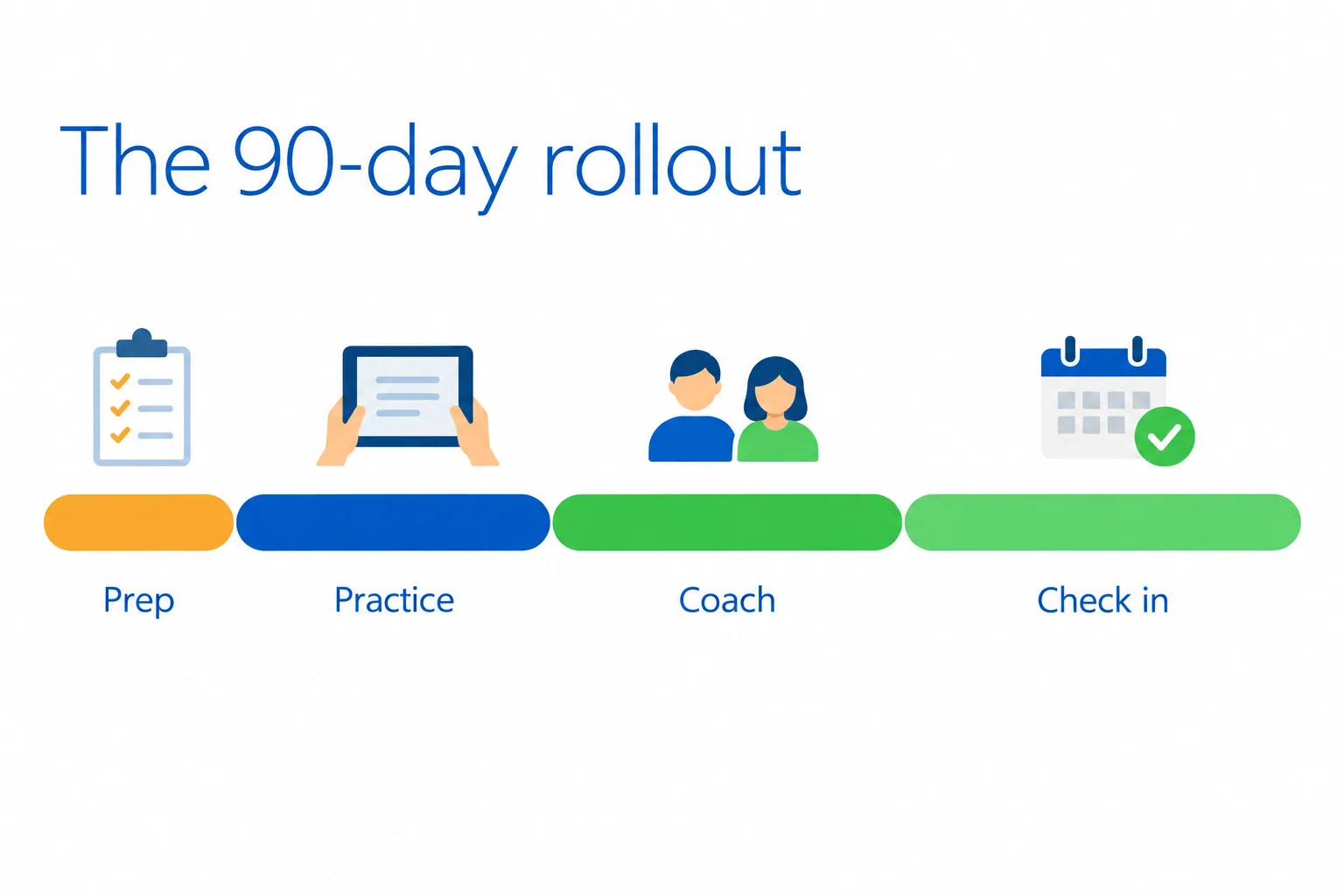
So treat this as a 90-day arc: a readiness window before anyone trains, hands-on practice in the first month, coaching and peer support in the second, structured check-ins in the third.
Before you train anyone: the two-week readiness window
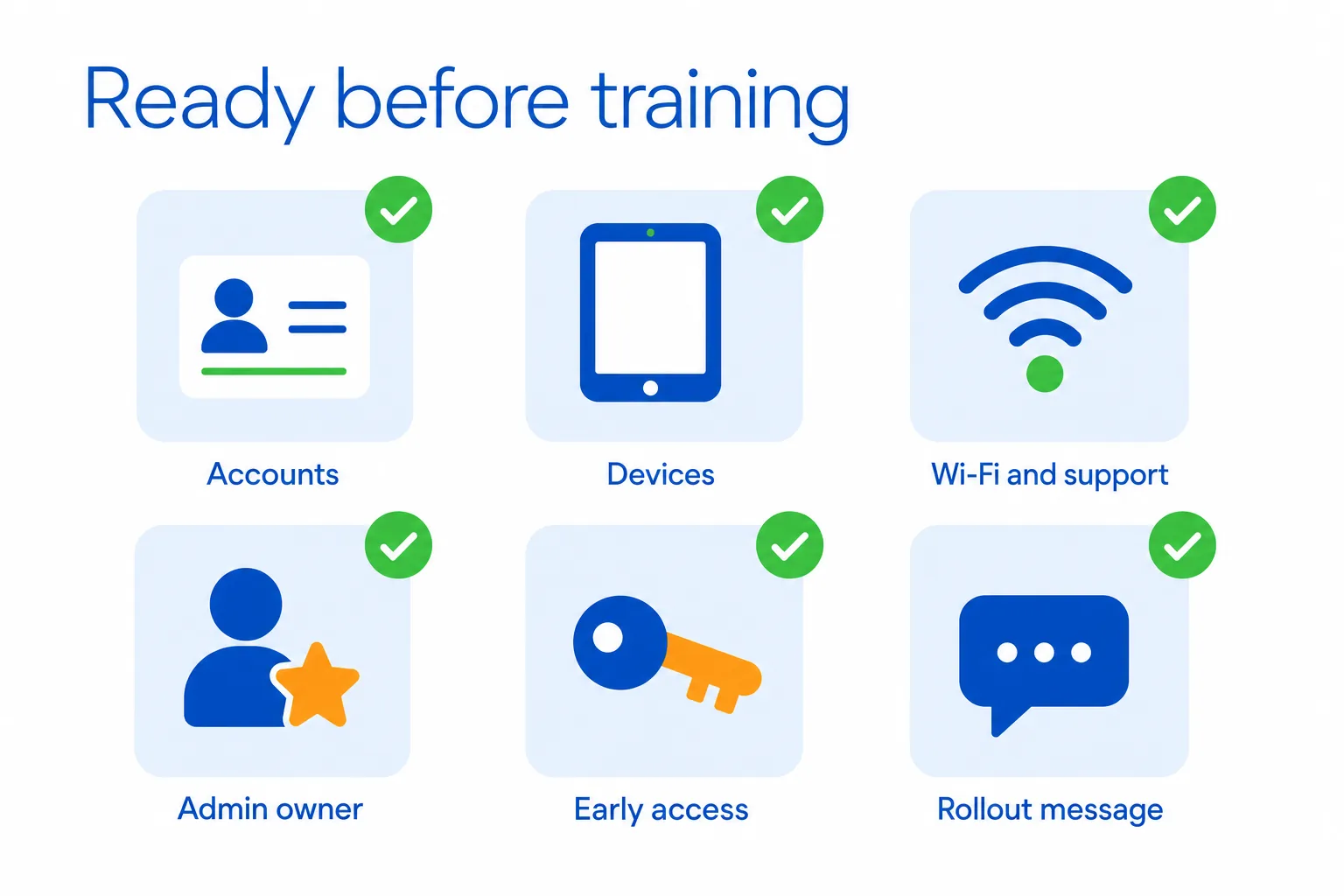
Give yourself roughly two weeks before the first training session. Almost every rollout that goes badly goes badly here.
| Readiness area | What to confirm before training | Why it matters |
|---|---|---|
| Accounts | Accounts created, classrooms built, teachers assigned, rosters accurate | Prevents login and access problems on day one |
| Devices | Devices available, charged and reachable in each classroom | Teachers need to practice on the equipment they will actually use |
| Wi-Fi and support | Classroom connectivity tested and a person assigned to handle password resets | Removes basic technical barriers during the rollout |
| Admin owner | One director or education coordinator trained more deeply | Gives staff a consistent person to go to for help |
| Early access | Logins and a short walkthrough provided before training | Lets teachers explore without pressure |
| Rollout message | Staff understand how the curriculum reduces planning and paperwork | Gives the change a practical purpose beyond “the board decided” |
Set up the boring things first. Accounts created, classrooms built, teachers assigned to the right age group, rosters accurate. No teacher’s first experience with your new curriculum should be a password that does not work. That single moment tells them, fairly or not, that this system will waste their time.
Confirm the practical basics. How many devices are in each classroom, and are they charged and reachable during the day? Does the wifi actually reach the two-year-old room, or only the front office? Who resets a password when the director is off site? Name that person out loud.
Train your admin owner first. One person, usually the director or an education coordinator, should know the platform a level deeper than everyone else before staff-wide training happens. Our admin setup and training guide walks through what to configure and in what order, so the person holding the rollout is not learning alongside the people they are supposed to support.
Give low-pressure early access. A week or two before the first session, send logins with a short self-paced walkthrough and explicit permission to poke around without mastering anything. Say it plainly: “You are not expected to know this yet. Click on things.” Teachers who have already opened the platform once arrive at training with questions instead of anxiety.
Lead with the why, not the what. Do not open with what the platform cost or what the board decided. Open with the problem it solves for them: fewer hours writing lesson plans on their own time, less printing, less hunting for an activity that fits the child who is not where the rest of the group is.
Be clear that a digital curriculum in an early childhood room is not about more screen time for children. It is about less paperwork for adults, so more of them are available for the children in front of them.
Your new teacher orientation checklist for digital curriculum
Build this once and reuse it forever. Every mid-year hire gets the same sequence, which is where the real value sits in a field where hiring never stops.
| Stage | Teacher should be able to… | Evidence of progress |
|---|---|---|
| Before Day 1 | Access their account, classroom and device | Login works and first week’s plans are visible |
| Week 1 | Find plans, open an activity and teach it | Teacher teaches one activity and reports back |
| Weeks 2–4 | Plan independently and adapt activities | Teacher plans a full week and adjusts an activity for a child’s needs |
| By the end of Month 1 | Use prompts, family resources and standards alignment | Teacher can navigate the core workflow without help |
Before Day 1
- Account created and assigned to the correct classroom and age group
- Device access confirmed for the room they will actually teach in
- Welcome email sent with login and one link to a short walkthrough
- A named mentor assigned, not “ask anyone”
- Their first week’s plans already visible in their account
Week 1
- Logs in successfully on their own device
- Finds this week’s lesson plans without help
- Opens one activity end to end and reads the teacher prompts
- Teaches one activity from the platform and reports back on how it went
- Knows exactly where to ask a question and who answers it
Weeks 2 through 4
- Plans a full week independently
- Uses the built-in teacher talk prompts during small group
- Sends one family home connection piece
- Locates the standards alignment for their age group
- Adjusts one activity for a child who needs it easier or harder
Print it, keep it in your hiring folder, and hand it to the mentor along with the new teacher’s name.
Phase 1 (Days 1 to 30): hands-on practice, not a demo
The first session should run under 90 minutes, and teachers should be doing the work on their own device the entire time.
Watching a screen share is not training. It is a movie about training.
Start with the end in mind. Before anyone learns where the buttons are, show what one week of instruction looks like in the new system for their specific age group. What gets taught Monday. What the small group looks like Wednesday. Where the observations live. Teachers absorb a lot of navigation once they can picture the week.
Train by age band, not all-staff. An infant teacher and a Pre-K 4 teacher have completely different first weeks, and a combined session shortchanges both. Run two or three shorter sessions grouped by room. It costs more calendar time and saves months of confusion.
This is one advantage of a curriculum that covers infant through Pre-K 4 under a single subscription: the platform is the same, so training differs only in the content each group opens.
Model a real lesson start to finish. Include what the teacher says to the children, not just where to tap. Read the teacher talk prompts aloud. Show the transition. Show what you do when a child wanders off. The pedagogy is the part that makes teachers trust the tool, and it is the part most rollouts skip.
Cover bilingual content in week one if you serve Spanish-speaking families or have Spanish-speaking staff. When English and Spanish content is included at no extra cost, teachers should know that on day three, not discover it in February.
Send everyone out with one small assignment: teach one activity from the platform this week, and bring back what happened. Not a form. A story. Our teacher getting-started guide is built for this first-month stretch, so teachers have something to return to between sessions.
Phase 2 (Days 31 to 60): peer buddies, coaching, and in-the-moment help
Month two is where adoption is won or lost, and it is not won in another all-staff meeting.
Pair every hesitant teacher with a confident one. Peer mentoring does more for adoption than a second round of group training, partly because teachers ask a colleague things they would never ask a director. Make the pairing explicit and give the mentor something back: first pick of planning time, a gift card, public credit at a staff meeting.
Protect small, real blocks of practice time. Fifteen minutes during nap. A paid half hour before opening once a week. Do not build your rollout on the assumption that teachers will learn a new system at home on a Tuesday night. They will not, and asking is how you lose the staff you most want to keep.
Make in-the-moment help possible. This is the piece scheduled professional development cannot solve. The question a teacher has at 9:40 during centers, when one child is bored and another cannot access the activity at all, will not survive until Friday’s staff meeting. It gets abandoned, and with it a little more confidence in the new system.
That is why ELBY, our virtual instructional coach, sits inside the platform and answers differentiation and lesson questions while the teacher is planning. No ticket queue, no waiting for the director to be free.
Keep professional development attached to the work. Because our professional learning is embedded in the subscription (49.5 hours through Learning Beyond University, IACET accredited, CLASS-aligned, about one hour per course with certificates), month-two training can be assigned in small pieces that match what teachers are actually struggling with, without negotiating a separate PD contract.
Do walk-throughs to notice, not to catch. Directors, this is a tone decision with a long tail. Walk in, watch five minutes, and name something specific that worked: “The way you used that prompt during blocks was exactly it.” If your walk-throughs read as login audits, teachers will perform compliance and hide their real questions.
Phase 3 (Days 61 to 90): check-ins, pacing, and making it the way we teach here
Run structured check-ins at 30, 60, and 90 days with the same short set of questions every time. “How’s it going?” gets you “fine.” Ask instead:
- What part of this still takes longer than paper did?
- What have you stopped doing since we switched?
- What do you wish you had known in week one?
- Where do you still work around the system?
Fifteen minutes per teacher. Write the answers down.
Adjust pacing publicly when the feedback earns it. If three teachers say the timeline was unrealistic and you say so out loud and change it, you buy credibility for the rest of the rollout. Defend the timeline instead and staff stop telling you the truth, which costs you your only early warning system.
Fold the platform into what already exists. Put it on the staff meeting agenda as a standing five minutes. Use it in lesson plan review. Reference it in coaching conversations and family newsletters. A new system becomes normal when it stops being a separate topic.
Update the checklist based on what your first hires struggled with, so your fourth hire has a better first week than your first.
How to onboard teachers on a new digital curriculum for free
If you are a family childcare provider or a small center watching every dollar, most of the levers here cost nothing.
Use the trial period as the onboarding period. A 30-day free trial (90 days for programs coming through our Procare partnership) is enough time to run your entire first-week checklist with one classroom before committing anything. The welcome setup call with an account manager during the trial is where you test the onboarding plan itself, not just the software.
Choose curriculum where professional development is included rather than sold separately. Training that lives inside the subscription means month two costs you scheduling, not budget.
Use the free tools you already own: peer mentoring, nap-time micro-sessions, and five-minute walkthrough videos you record on your phone showing your center’s specific workflow. Those homemade videos often beat any vendor material, because they show your rooms and your routines.
Compare that to the paper kit model, where boxed curriculum can run into the tens of thousands of dollars, needs replacing every few years, and often carries separate training costs. That is budget that could have funded coaching time instead.
Onboarding for standards compliance: ELOF, CLASS, and state early learning standards
Head Start administrators have a specific version of this problem. Teachers need Head Start Early Learning Outcomes Framework alignment visible inside the daily activity, not sitting in a crosswalk document in a shared drive nobody opens. ELOF describes what programs are working toward across developmental domains, and it belongs where planning actually happens.
During onboarding, teach every teacher to find the alignment view for their own age group. Do it in week two, not month six. When alignment is visible at the point of planning, documentation becomes a byproduct of teaching rather than a Sunday night task.
CLASS-aligned activities do something similar for observation. When the activity is built around the interactions CLASS looks at, coaches, directors, and teachers share the same vocabulary during a debrief, which makes feedback land as support instead of judgment.
For state-funded, coalition, and shared-services programs, add one more onboarding step: show teachers how to pull exactly what monitors ask for. Alignment to all 50 state early learning standards, Head Start ELOF, and CLASS indicators is not a badge to display. It is a time-saver, but only if your teachers know where to find it.
Onboarding mid-year hires without starting over
Here is what most onboarding articles miss: in early childhood, hiring is continuous. You do not have one August cohort. You have a new assistant in October, a lead teacher in January, and a float in March.
Build a standing onboarding kit and keep it ready: the checklist above, three short walkthrough recordings, an assigned mentor by name, and a first-week teaching assignment. When it is prepared in advance, a Tuesday hire can plan Wednesday. Cloud-based access with no hardware to install and no IT ticket is what makes that possible; the hire logs in from the device already in the classroom.
Designate an in-house super user at each site so new teachers are not waiting on the director. If you operate multiple sites, standardize the kit across all of them. A float teacher who covers three locations should meet the same system, the same terminology, and the same plans in every room.
Five onboarding mistakes that quietly kill adoption
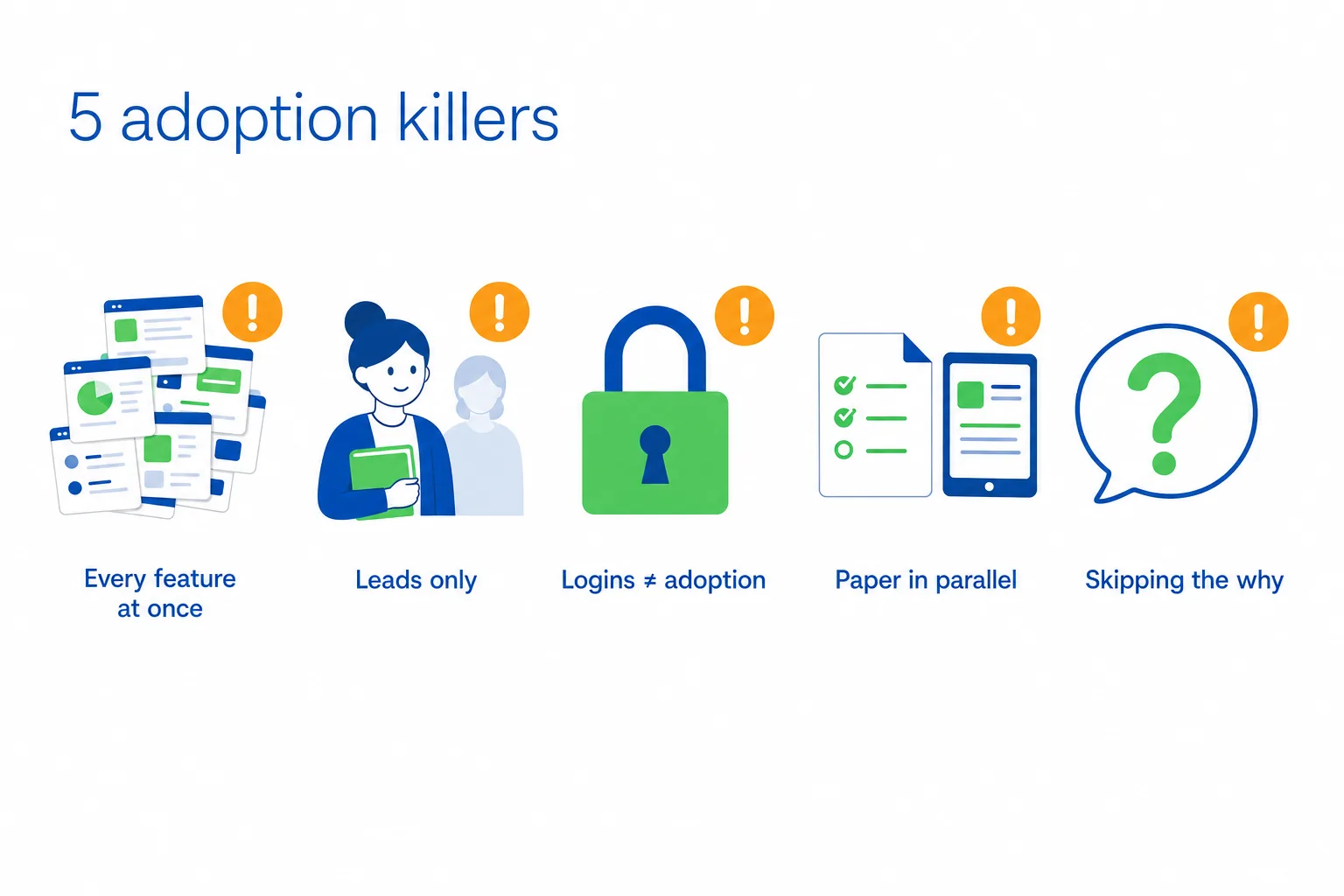
1. Data-dumping every feature in one session. Teach one week of instruction well. The rest keeps. 2. Training only lead teachers. Assistants and floats teach too. Leave them out and your coverage days fall apart, which teachers experience as the system failing. 3. Treating login activity as adoption. Logins tell you someone opened the app. Ask instead whether planning time actually dropped. 4. Running old paper forms in parallel indefinitely. Double work guarantees the new system loses. Set a date when the paper version stops, communicate it early, hold it. 5. Skipping the why. Teachers who do not understand the reason behind the change comply for a few weeks, then drift back. Give them the pedagogy, not the purchase order.
How to tell if onboarding worked
Watch for signals you can observe.
| Area to measure | Early signal | Stronger adoption signal |
|---|---|---|
| Planning | Teacher can find the week’s plans | Teacher plans independently without director support |
| Technology | Questions shift from “Where do I click?” | Questions become about differentiation and teaching |
| Consistency | Teachers use the same core workflow | Substitute can open the plan and teach it |
| Time | Less time spent searching for activities | Teachers consistently report meaningful planning time saved |
| Family connection | Home connection pieces are available | Teachers send them regularly without reminders |
| Standards alignment | Teachers can locate alignment information | Alignment is used naturally during planning |
By week four, teachers should be planning independently, without a director sitting beside them. Listen for how their questions change: “Where do I click” turning into “How do I adjust this for a child who isn’t there yet” is the real milestone.
Time returned to teachers matters most for morale and retention. We track roughly three hours a week saved on planning across programs using our curriculum, and that is the change your staff will feel first.
Look for consistency room to room, and run the substitute test: can someone unfamiliar with the classroom open the plan and teach it? Watch whether family home connection pieces go out regularly without you chasing anyone.
Keep expectations honest with your team. Strong onboarding supports implementation, consistency, and standards alignment. It does not guarantee particular outcomes for individual children, and promising that to staff or families sets everyone up for disappointment.
Frequently asked questions
Related reading5 Things to Look for in a Curriculum Partner – Learning Beyond PaperRead the guide →Frequently asked questions
How long does it take to onboard teachers on a new digital curriculum?
What should be in a new teacher orientation checklist for a digital curriculum?
How do you train teachers who aren’t comfortable with technology?
When is the best time of year to roll out a new curriculum?
Do we need separate professional development on top of the curriculum?
Does onboarding look different for infants through Pre-K 4?
See what onboarding looks like in your own classrooms
The best way to judge an onboarding plan is to run a small piece of it. Watch the demo or start a free trial, pick one classroom, and work through the first-week checklist above before you commit your whole center. During the trial, an account manager runs a welcome setup call, a low-pressure way to pressure-test your rollout plan and see how the early childhood curriculum fits the rooms you already have.
If you also run an afterschool or out-of-school-time program, Learning Beyond the Bell extends the same approach to K-6, though the demo or trial is still the right first step.
Peter Smith is CEO and President of Learning Beyond Paper, based in Boca Raton, Florida. He has built an EdTech company that equips more than 100,000 educators with affordable, research-backed digital curriculum, backed by a team of former Department of Education leaders and master teachers with more than 300 years of combined experience.